Hopers Template: A Professional PowerPoint Design Solution
Why Design Fundamentals Matter for Your Presentations
Whether you’re pitching to investors, teaching a class, or presenting quarterly results, the foundation of your slides matters. A coherent design system—consistent colors, typography, and layouts—creates a subconscious thread of professionalism and clarity. Building this from scratch for every presentation consumes hours that could be spent refining your message. This is where a well-structured template like the Hopers Power Point Template steps in, offering not just slides, but a complete visual framework.
It is built on Master Slides, which means every change to a font, color, or logo placement on the master page cascades throughout your entire deck. This ensures pixel-perfect consistency. For professionals juggling multiple projects, this technical feature alone can be a significant time-saver, eliminating the tedious task of manually aligning elements across hundreds of slides.
A Resource Designed for Versatility and Efficiency
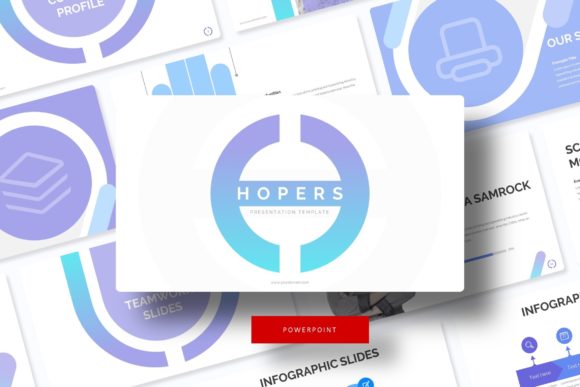
The Hopers template provides a substantial library: 150 total slides distributed across 5 premade colors, with 30 slides for each color variation. This structure offers immediate flexibility. Imagine needing to create a presentation for two different brands or departments; you can select the color theme that best aligns with each identity without starting a new file. The five distinct palettes serve as ready-made visual moods, allowing you to adapt the presentation’s tone quickly.
Each theme includes dedicated slides for specific purposes. The Handcrafted Infographic slides are not generic charts; they are designed visualizations meant to explain processes, data hierarchies, or workflows clearly. Similarly, the inclusion of Section Break Slides and a Gallery and Portfolio slide addresses common structural needs. These aren't mere decorative elements; they are functional tools to organize your content logically, guiding your audience through different chapters of your narrative.
Who Benefits Most from This Approach?
Entrepreneurs and marketers often need to produce polished presentations rapidly, with content that shifts between internal strategy sessions and external client showcases. The five color variations allow for quick adaptation. Educators and freelancers, who may not have dedicated design support, will find the editable structure empowers them to maintain a high standard of visual communication. The template’s depth supports complex, multi-part presentations, making it suitable for consultants or small business owners presenting detailed proposals or reports.
Practical Features for Everyday Use
Two of the most user-centric features are the Resizable and Editable Graphic elements and the Picture Placeholder system with drag-and-drop functionality. In practice, this means you can adjust icons, charts, and graphics directly within PowerPoint without losing quality or alignment. When you need to insert a team photo or product image, you drag your image file onto the placeholder, and it automatically fits into the designed frame. This removes technical hurdles, letting you focus on selecting the right image rather than cropping and resizing it.
The package is delivered as 5 PPTX Files and 5 PPTX Widescreen files, giving you both standard and widescreen formats for different display settings. A clear Readme First document and included links for the free fonts used ensure you can correctly install and use the typography, preserving the intended design aesthetic. This attention to delivery details reduces setup friction.
A Note on Customization and Content
A vital consideration is that the template provides the structure, not the content. The note stating that photographs in previews are not included is essential to understand. The pixel-perfect illustrations and graphics are part of the template, but the specific stock photos shown in marketing images are for demonstration. You will supply your own photographs, charts, and text. This is typical of high-quality templates, as it allows you to personalize the presentation fully with your unique content, branding, and data.
Where This Template Fits in Your Toolkit
The Hopers PowerPoint Template is a solution for those who value design consistency and need a robust starting point. It solves the problem of disjointed, time-consuming slide creation. For a solo creator, it acts as a virtual design partner. For a team, it can serve as a standardized template ensuring everyone’s output looks unified.
However, it is important to assess your specific needs. If you require extremely niche slide types (like intricate scientific diagrams) beyond the provided infographics, you may need to supplement. The template excels at general business, educational, portfolio, and marketing presentations. Its strength lies in its comprehensive, organized system and the ease of editing within a familiar PowerPoint environment.
By offering a master slide foundation, a wide array of purpose-built slides, and intuitive editing features, the Hopers template shifts the effort from building the vessel to perfecting the message inside. It allows professionals across fields to approach presentation design not as a technical chore, but as a strategic part of their communication, ultimately helping to strengthen their impact and save valuable time for more critical tasks.