Essential Characteristics of a Modern UI Design Toolkit
In the dynamic field of digital design, the tools you choose can significantly shape the efficiency and quality of your output. A comprehensive user interface toolkit serves as the foundational bedrock for projects ranging from mobile applications to complex data visualization platforms. When evaluating such resources, several core characteristics stand out as critical for professional use.
The Pillars of a Professional Design Resource
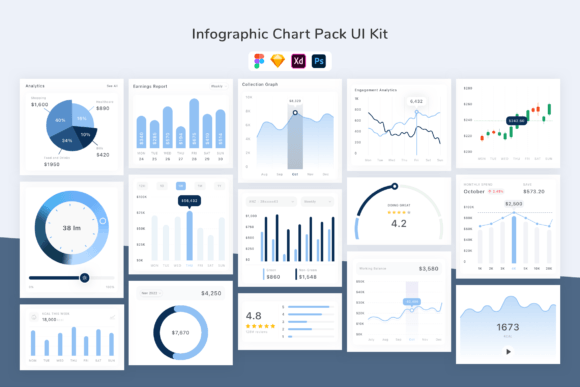
First and foremost, versatility across platforms is non-negotiable. A toolkit that offers native files for multiple major design environments drastically reduces workflow friction. For instance, having assets readily available in Sketch, Figma, Adobe XD, and Adobe Photoshop means that teams operating on different software can collaborate seamlessly without the need for cumbersome file conversion or recreation. This cross-platform compatibility ensures that the toolkit integrates into existing workflows rather than demanding a disruptive shift in tools.
Precision and Quality in Visual Assets
Another fundamental pillar is the assurance of visual fidelity. The term "pixel perfect" is not merely a marketing slogan; it represents a rigorous standard where every UI element—buttons, cards, form fields, icons—is crafted with precise edges and alignment. This precision guarantees that designs translate faithfully from the mockup stage to final development, eliminating guesswork for engineers and reducing iterative corrections. Combined with high-quality screens and well-organized layers, this characteristic allows designers to focus on composition and user experience rather than fixing basic asset imperfections.
Customization: The Heart of Adaptive Design
True utility in a design toolkit comes from its adaptability. A collection of static, rigid components holds limited value in real-world projects where brand identity and specific functionality are paramount. Therefore, deep customization capabilities are essential. This includes customizable layers that allow for easy restructuring, a spectrum of font choices that can be swapped to match project typography, and a flexible color system. The inclusion of 100 customizable vector shapes, for example, provides a powerful starting point for creating unique infographics, charts, and illustrative elements without requiring designers to build every geometric form from scratch.
Well-organized, layered files are not just a convenience; they are a necessity for speed and scalability. Navigating a logically grouped file structure enables designers to quickly locate, modify, and reuse components. This organization extends to non-visual elements as well, such as the provision of free, high-quality fonts and a coherent icon set. When these assets are delivered in an orderly manner, the time saved in asset management can be redirected towards creative problem-solving and user testing.
Real-World Applications and User Scenarios
Consider the practical application of such a toolkit for an educational researcher needing to present complex study data. A robust Infographic Chart Pack UI Kit with customizable charts and shapes allows them to transform raw statistics into engaging, understandable visual narratives without needing advanced graphic design skills. Similarly, a startup business owner developing a pitch deck can leverage pre-built, professional UI elements to create sleek, credible slides that enhance their presentation.
For the professional designer or agency, the implications are workflow-centric. The ability to receive ongoing updates means the toolkit evolves, potentially incorporating new design trends like emerging interaction patterns or refreshed color palettes. This continuous enhancement ensures that the resource remains a current and valuable part of a designer’s arsenal, preventing the stagnation that plagues static asset collections. The promise of being free to use all updates removes the concern of version lock-in or additional costs for new features.
Strategic Advantages in Project Development
Employing a comprehensive toolkit confers several strategic advantages. Speed of iteration is dramatically increased. With a library of proven, polished components, designers can prototype multiple variations of a screen or flow in a fraction of the time it would take to construct each element manually. This rapid prototyping facilitates more user feedback cycles and a more refined final product.
Consistency across a project—and even across a suite of products—is inherently baked in. Using the same foundational buttons, spacing rules, and icon styles from a single toolkit ensures visual and interaction coherence, which is a key component of professional user experience. Furthermore, for teams, it establishes a shared design language, reducing miscommunication and ensuring that all members are building from the same visual vocabulary.
Considerations for Selection and Implementation
While the features are compelling, the integration of any toolkit requires thoughtful consideration. It must align with the specific needs of the project. A kit heavily geared towards data visualization, like an Infographic Chart Pack, would be indispensable for a financial reporting app but might be less relevant for a minimalist meditation application. The skill level of the users is also a factor; a deeply customizable kit offers power but may require a higher familiarity with design software to exploit fully.
The decision often hinges on the balance between structure and flexibility. A toolkit with rigid, fixed components might offer quick assembly but limit creative expression. Conversely, a kit built with customization as a core principle, offering modifiable layers, fonts, and colors, supports both speed and unique brand expression. The ideal resource accelerates the process without confining the outcome.
The Broader Impact on Design Outcomes
Ultimately, a well-conceived UI toolkit does more than supply assets; it elevates the design process. It allows hobbyists and entrepreneurs to achieve a professional standard, supports educators and researchers in communicating complex information clearly, and enables seasoned creators to operate with greater efficiency and focus on higher-level challenges. By providing a reliable, adaptable, and high-quality foundation, it removes barriers to quality execution and allows a broader range of individuals to participate in effective digital design. The characteristics discussed—cross-platform compatibility, pixel-perfect quality, deep customization, and organized structure—are not just features; they are the criteria that transform a simple asset pack into a genuine professional tool.
In everyday practice, the observable difference is clear. Projects begin with confidence, timelines become more predictable, and collaboration is smoother. Whether the goal is to inform, to persuade, to simplify, or to engage, the foundational tools one chooses play a silent yet pivotal role in the success of the final product. Selecting a resource that embodies these essential characteristics is therefore a strategic first step in any digital design endeavor.