The Manuella Keynote Template: A Complete Tool for Modern Presentations
Creating a presentation that is both visually stunning and structurally coherent can be a significant challenge. For professionals, educators, and creators, the process often involves piecing together disparate elements, leading to inconsistent designs and wasted time. The Manuella Keynote Template addresses this need directly, offering a comprehensive, pre-designed system built to streamline the creation of impactful presentations.
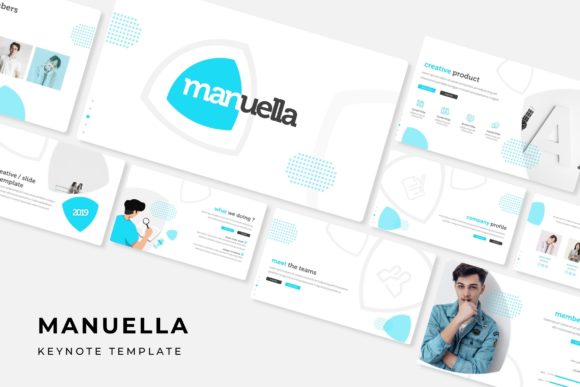
This template is not merely a single slide design; it is a full-featured framework. With 150 total slides distributed across 5 premade colors—each color variation containing 30 slides—it provides extensive variety within a cohesive visual language. The package is designed for flexibility, enabling users to select a color theme that best fits their brand or topic and then build a complete presentation using a consistent set of master slides.
Core Features and Structural Advantages
The value of the Manuella Keynote Template lies in its thoughtfully constructed components. Every element is crafted to work together, reducing design friction and elevating the final product.
A Foundation of Master Slides and Pixel-Perfect Assets
The template is built on a system of master slides. This means core layouts, fonts, and color placements are predefined, ensuring that every slide you add maintains perfect alignment and style consistency. This technical foundation is complemented by pixel-perfect illustrations and handcrafted infographics. These aren’t generic clip-art; they are custom graphics designed to integrate seamlessly with the template’s aesthetics, allowing you to convey data and concepts with clarity and visual appeal.
Practical Design for Real-World Use
Understanding how a template functions in practice is crucial. The Manuella Keynote Template includes specialized slide types like section breaks, which help organize long presentations into clear chapters, and dedicated gallery and portfolio slides, ideal for showcasing work, products, or case studies. Furthermore, it uses resizable and editable graphic picture placeholders. The “drag-and-drop” functionality is key here: you can insert your own images directly into these placeholder frames, and they will automatically adapt to the correct size and cropping, preserving the slide’s intended layout without manual adjustment.
What You Receive and How to Use It
The complete offering is transparently outlined. Users receive 5 PPTX files for standard screen formats and 5 PPTX widescreen files, covering the five color variations. This ensures compatibility with different display setups. Importantly, the template uses free fonts, and a download link for these fonts is included in the provided readme file, guaranteeing you can achieve the exact typographic look shown in the preview. A critical note clarifies that all photographs seen in promotional previews are for illustration only and are not included; you populate the template with your own imagery and content.
Identifying the Right Users and Applications
Who stands to benefit most from this template? Its application spectrum is broad.
- Business Owners and Startup Founders: Crafting investor pitches, annual reports, or internal strategy decks with a professional, polished look.
- Marketing Professionals and Agencies: Developing client proposals, campaign reviews, or brand guidelines that need to impress visually.
- Educators and Trainers: Building course modules, lecture materials, or workshop slides that are engaging and easy to follow.
- Freelancers and Creators: Presenting portfolios, service offerings, or creative concepts to potential clients or collaborators.
- Corporate Teams: Producing consistent departmental updates, sales presentations, or conference talks under a unified company visual theme.
The template’s structure is particularly advantageous for projects requiring a rapid turnaround without sacrificing quality, or for individuals and teams lacking dedicated graphic design resources.
Evaluating Suitability for Your Needs
While feature-rich, it’s wise to consider how the Manuella Keynote Template aligns with specific project requirements. Its strengths are in providing a complete, ready-to-use system. If your goal is to produce a presentation with a modern, clean aesthetic and you value having a wide array of pre-styled slides (from title slides to comparison charts to conclusion slides), this template is highly suitable. The multiple color options offer initial customization, and the editable nature of all graphics allows for further tailoring.
A practical consideration is the software environment. Since it is a PowerPoint (PPTX) template, it is native to Microsoft PowerPoint and compatible with similar presentation software. Users must ensure they are comfortable working within that ecosystem. Additionally, while the template provides the structure and visuals, the effectiveness of the final presentation still hinges on the user’s content—the quality of the written message, data, and chosen photographs inserted into the placeholders.
A Tool for Empowerment, Not Replacement
The ultimate value of the Manuella Keynote Template is empowerment. It shifts the creator’s focus from wrestling with design fundamentals to crafting the narrative and content. By handling the complexities of layout consistency, graphic quality, and visual hierarchy, it allows the user to dedicate energy to what matters most: communicating their message effectively. For anyone regularly tasked with creating presentations, it represents a practical investment in both time and professional image, providing a reliable foundation upon which countless impactful presentations can be built.